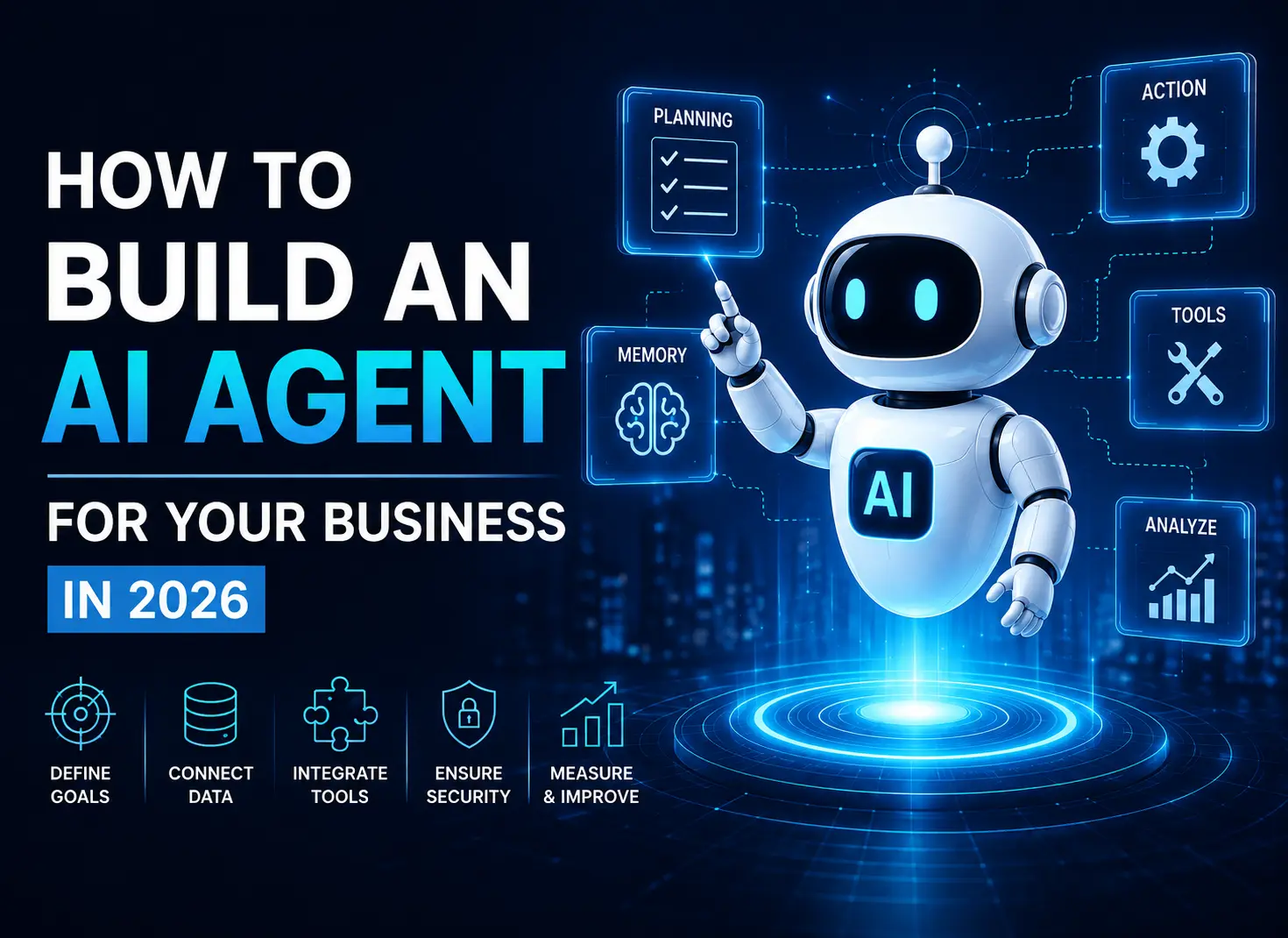

How to Build an AI Agent for Your Business in 2026
How to Build an AI Agent for Your Business in 2026
AI agents are becoming a major part of business automation in 2026. Unlike traditional chatbots that mainly answer questions, AI agents can understand goals, reason through tasks, use business tools, access data, and take actions with limited human intervention.
So, how do you build an AI agent for your business? Start with a specific business problem, define the agent’s responsibilities, choose the right AI model, connect business data and tools, establish security controls, test the workflow, and gradually increase the agent’s level of autonomy.
The shift is already moving from AI assistance toward AI-powered execution. Recent enterprise data shows organizations are increasingly delegating substantive work to agents rather than simply using AI for answers and content generation.
What Is an AI Agent?
An AI agent is a software system designed to achieve a goal by understanding information, reasoning about what to do next, using connected tools, and executing tasks.
For example, a traditional chatbot might answer a customer’s question about an order. An AI agent could:
- Check the customer’s order
- Review shipping information
- Identify a delivery problem
- Contact the appropriate system
- Update the CRM
- Notify the customer
- Escalate the issue if necessary
This ability to reason and act makes AI agents especially valuable for business automation.
How to Build an AI Agent for Your Business
Building an AI agent typically involves these 8 steps:
- Identify a valuable business problem.
- Define the agent’s goal and boundaries.
- Choose the right AI model.
- Connect business data and knowledge.
- Add tools and API integrations.
- Design the workflow and decision logic.
- Build security and human oversight.
- Test, deploy, monitor, and improve.
1. Identify the Right Business Problem
Don’t begin by asking, “Where can we use AI?”
Instead, ask:
Which business process consumes significant time and requires repeated decisions?
Good AI agent use cases are usually:
- Repetitive
- Time-consuming
- Data-driven
- Multi-step
- Dependent on several business systems
- Easy to measure
Examples include lead qualification, customer support, recruitment, document processing, market research, CRM updates, invoice workflows, IT support, and business intelligence.
Starting with one focused workflow is generally more effective than trying to create an agent that handles everything.
2. Define the Agent’s Goal and Boundaries
Clearly define what the agent is responsible for.
For example:
Goal: Qualify incoming sales leads.
The agent can:
- Review lead information
- Research the company
- Score the prospect
- Update the CRM
- Notify the sales team
The agent cannot:
- Delete CRM records
- Approve discounts
- Send contracts without approval
Clear boundaries make an agent easier to test, secure, and manage.
3. Choose the Right AI Model
The AI model acts as the reasoning engine behind the agent.
Your choice should depend on:
- Reasoning requirements
- Accuracy
- Speed
- Cost
- Context length
- Data requirements
- Tool-calling capabilities
- Privacy and security
The most expensive or powerful model isn’t automatically the best option. A production system may use different models for different tasks to balance performance and operating costs.
4. Connect Business Data
An AI agent becomes significantly more useful when it can access relevant business information.
Depending on your workflow, this could include:
- CRM records
- Internal documents
- Product information
- Customer history
- Databases
- Knowledge bases
- Policies
- Emails
- Analytics
Retrieval-Augmented Generation (RAG) can help an agent retrieve relevant information from approved knowledge sources before generating a response.
However, access should always be controlled. Agents should receive only the permissions and information required for their assigned tasks.
5. Connect Tools and APIs
An AI agent needs more than the ability to generate text. It needs tools that allow it to take action.
Through APIs and integrations, an agent could:
- Create or update CRM records
- Send emails
- Schedule meetings
- Search databases
- Generate reports
- Process documents
- Check inventory
- Create support tickets
A typical workflow might look like:
User request → AI reasoning → Tool selection → API action → Result → Next decision
This is where an AI agent becomes an operational system rather than simply a conversational interface.
6. Design the Agent Workflow
Define how the agent should handle each task.
A simple workflow could be:
Receive request → Understand intent → Retrieve information → Reason → Take action → Verify result → Respond
For more complex processes, businesses can use multiple specialized agents.
For example:
Research Agent → Analysis Agent → Decision Agent → CRM Agent
Multi-agent systems can divide complex work among specialized agents, although businesses should introduce this complexity only when it provides a clear benefit.
7. Add Security and Human Oversight
Security should be designed into an AI agent from the beginning.
Important controls include:
- Authentication
- Authorization
- Role-based permissions
- Data encryption
- Audit logs
- Tool restrictions
- Input validation
- Output monitoring
- Spending limits
- Human approval
This is increasingly important as agents gain the ability to perform real-world actions. Recent developments in agentic systems show why organizations need clear controls, permissions, and accountability around autonomous actions.
For high-risk actions, use a human-in-the-loop approach.
For example, an agent might prepare a payment or contract but require a human to approve the final action.
8. Test, Deploy, and Improve
Before giving an agent full access to production systems, test it against realistic scenarios.
Evaluate:
- Accuracy
- Task completion
- Tool usage
- Response time
- API failures
- Security
- Escalation behavior
- Unexpected requests
- Cost per task
A gradual rollout is often safer:
Assist → Recommend → Act with approval → Act autonomously
Once deployed, monitor business metrics such as task completion rate, cost savings, resolution time, customer satisfaction, and human intervention.
The objective isn’t simply to build an impressive AI agent.
The objective is to create measurable business value.
What Are the Best AI Agent Use Cases for Businesses?
Popular business use cases include:
- Sales: Lead qualification and follow-ups
- Customer service: Ticket resolution and customer communication
- HR: Candidate screening and recruitment workflows
- Finance: Invoice and document processing
- Marketing: Research and campaign workflows
- IT: Help desk automation
- Operations: Workflow coordination
- Research: Information gathering and analysis
- CRM: Data entry and updates
- Software development: Coding, testing, and documentation
Enterprise adoption is expanding beyond software development into areas such as sales, recruiting, marketing, legal, and other knowledge-work functions.
AI Agent vs. Chatbot: What’s the Difference?
| Feature | Chatbot | AI Agent |
| Answers questions | Yes | Yes |
| Understands natural language | Yes | Yes |
| Uses business data | Sometimes | Yes |
| Uses tools and APIs | Limited | Yes |
| Performs multi-step tasks | Limited | Yes |
| Makes decisions | Limited | Yes |
| Executes workflows | Limited | Yes |
| Operates with autonomy | Limited | Higher potential |
The simplest distinction is:
A chatbot primarily responds. An AI agent works toward a goal.
How Much Does It Cost to Build an AI Agent?
There is no single fixed cost for AI agent development.
The total cost depends on:
- Workflow complexity
- Number of integrations
- AI model usage
- Data infrastructure
- RAG requirements
- Security
- Testing
- Monitoring
- Number of users
- Ongoing maintenance
A focused agent connected to a few systems will generally be much simpler than an enterprise multi-agent platform.
Before estimating cost, businesses should define the use case, integrations, expected workload, and measurable ROI.
How Long Does It Take to Build an AI Agent?
Development time varies based on complexity.
A proof of concept can be relatively quick, while a production enterprise agent may require significantly more time for integrations, security, testing, deployment, and monitoring.
The best approach is to start with a small, measurable use case and expand after the agent demonstrates reliable performance.
Common AI Agent Development Mistakes
Businesses should avoid:
- Starting with technology instead of a business problem
- Giving agents excessive permissions
- Skipping human oversight
- Ignoring data quality
- Testing only ideal scenarios
- Building unnecessary multi-agent systems
- Measuring AI performance without measuring business outcomes
Enterprise research shows that integration, governance, security, and process readiness remain significant barriers to scaling agentic AI.
How TechVaders Can Help
Building a production-ready AI agent requires more than connecting an LLM to a chatbot.
TechVaders can help businesses design and develop agentic AI automation solutions that connect AI with business data, tools, APIs, and workflows.
From identifying the right automation opportunity to developing, integrating, testing, and deploying the solution, an experienced AI development partner can help turn an AI concept into a practical business system.
Ready to build an AI agent for your business? Explore TechVaders’ Agentic AI Automation services and discover how intelligent agents can automate complex workflows.
Frequently Asked Questions
What is an AI agent?
An AI agent is software that can understand a goal, reason about tasks, use tools and data, and take actions to achieve that goal.
Can AI agents automate business processes?
Yes. AI agents can automate processes such as customer support, lead qualification, research, CRM management, document processing, IT support, and other multi-step workflows.
Can an AI agent access a CRM?
Yes. An AI agent can connect to a CRM through APIs or supported integrations, with appropriate authentication and permissions.
Can I build an AI agent without coding?
Basic agents can be created using no-code and low-code platforms. Custom development is usually more appropriate when an agent requires complex workflows, enterprise integrations, security controls, or specialized business logic.
Are AI agents secure?
AI agents can be built with strong security controls, but security depends on the architecture and implementation. Permissions, authentication, monitoring, audit logs, and human approval are important components.
What is the difference between AI agents and generative AI?
Generative AI primarily creates content such as text, images, or code. AI agents use generative AI models as part of a larger system that can reason, use tools, and execute tasks.
Final Thoughts
The best way to build an AI agent for your business in 2026 is to start small, solve a measurable problem, and expand gradually.
Identify a valuable workflow, define clear responsibilities, connect the right data and tools, establish security controls, test real-world scenarios, and measure business results.
As businesses move from simply asking AI for answers toward delegating real work, well-designed AI agents can become an important part of modern business automation.

Uncategorized
AIoT: How AI and IoT Are Creating Smarter Connected Systems
The Internet of Things (IoT) has transformed the way businesses connect devices, collect data, and monitor physical environments. But collecting data is only the beginning. The next step is making that data intelligent. AIoT, or Artificial Intelligence of Things, combines artificial intelligence with IoT to create connected systems that can analyze information, identify patterns, make…

Uncategorized
AI-Native Software Development: How AI Is Changing the Way Software Is Built
Software development is entering a new phase. Artificial intelligence is no longer being used only as a coding assistant that suggests a few lines of code. AI is increasingly becoming part of the entire software development lifecycle—from planning and architecture to coding, testing, deployment, monitoring, and maintenance. This shift is known as AI-native software development.…
Uncategorized
How to Migrate a Domain Safely Without Downtime
Your domain is more than a web address. It connects customers to your website, email, applications, landing pages, and other digital services. When you need to move your domain to a new registrar, poor planning can lead to unnecessary downtime, broken email, DNS problems, or delays. The good news is that domain migration does not…